Get a Free Development Strategy Consultation
Tell us about your project — we'll respond within 24 hours with tailored recommendations.
ERP and CRM Integration Services in the UK: Connect Your Business Systems
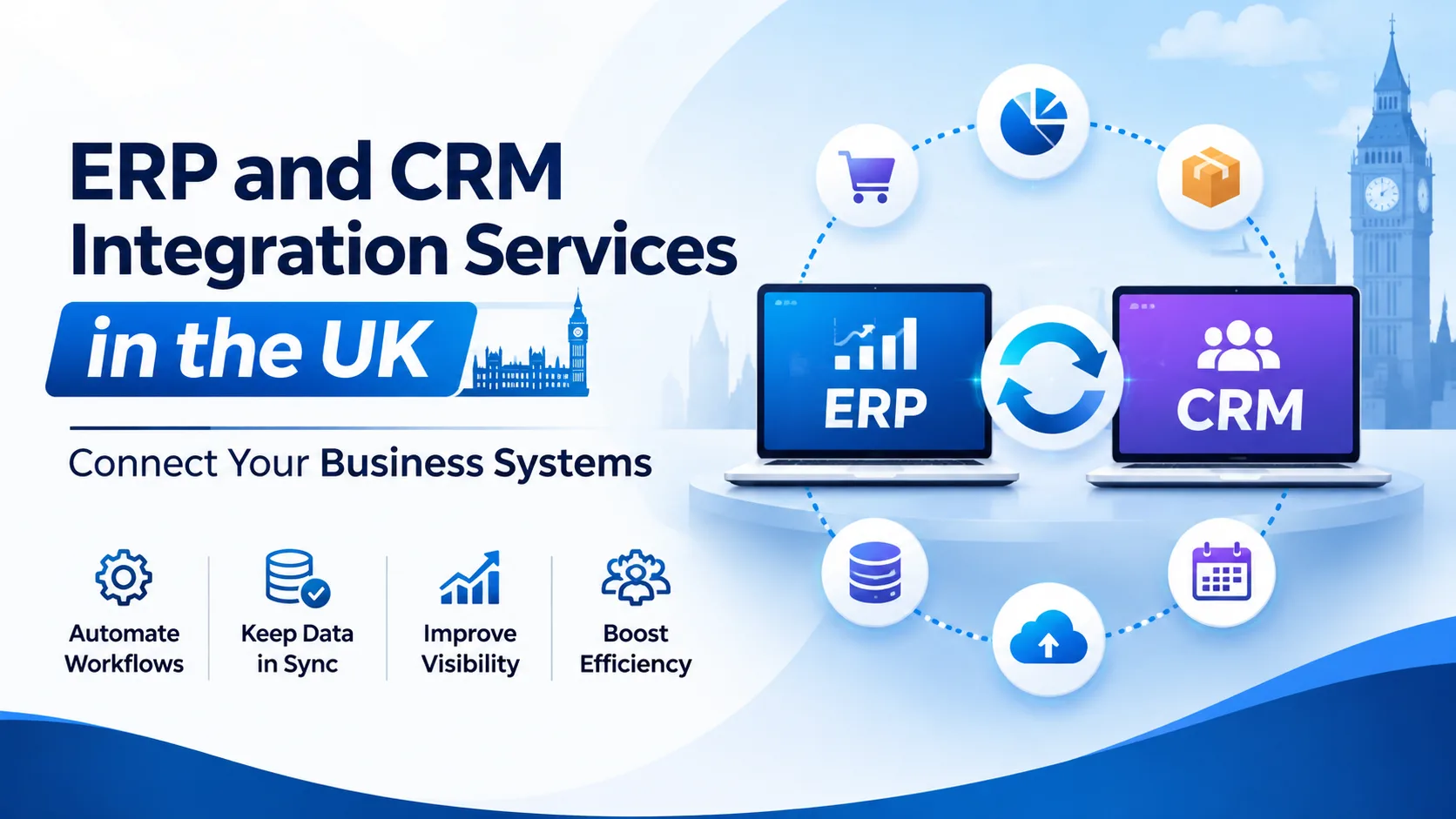
Disconnected business applications can create problems that affect your entire organisation. Sales teams work with outdated customer records, finance departments manually reconcile transactions, and operations teams struggle to get accurate information from different platforms.
ERP and CRM integration connects your core business applications so information can move between them accurately, securely and consistently. It helps businesses reduce repetitive tasks, improve data visibility and create more connected workflows without necessarily replacing their existing software.
However, a successful integration involves more than connecting two applications. It requires an understanding of business processes, data ownership, API capabilities, security requirements and how systems should respond when something goes wrong.
Working with an experienced Software Development Company can help you plan an integration around your actual operational requirements rather than introducing another disconnected technical solution.
This guide explains how ERP and CRM integration works, which applications businesses can connect, what technical challenges to consider and how to evaluate an integration development provider.
Quick Answer: What Are ERP and CRM Integration Services?
ERP and CRM integration services connect Enterprise Resource Planning (ERP) systems with Customer Relationship Management (CRM) platforms and other business applications. They allow relevant information, such as customer records, orders, invoices, inventory and payment statuses, to move between systems.
Integration can use APIs, middleware, pre-built connectors or custom development. The right approach depends on the applications involved, the complexity of business workflows and the level of data synchronisation required.
For example, when a sales representative creates an order in a CRM, the integration can transfer the approved order information to the ERP system for processing. The ERP can then return fulfillment and payment information to the CRM.
The objective is to make connected applications work as part of a coordinated business process.
Why Do Businesses Need ERP and CRM Software Integration?
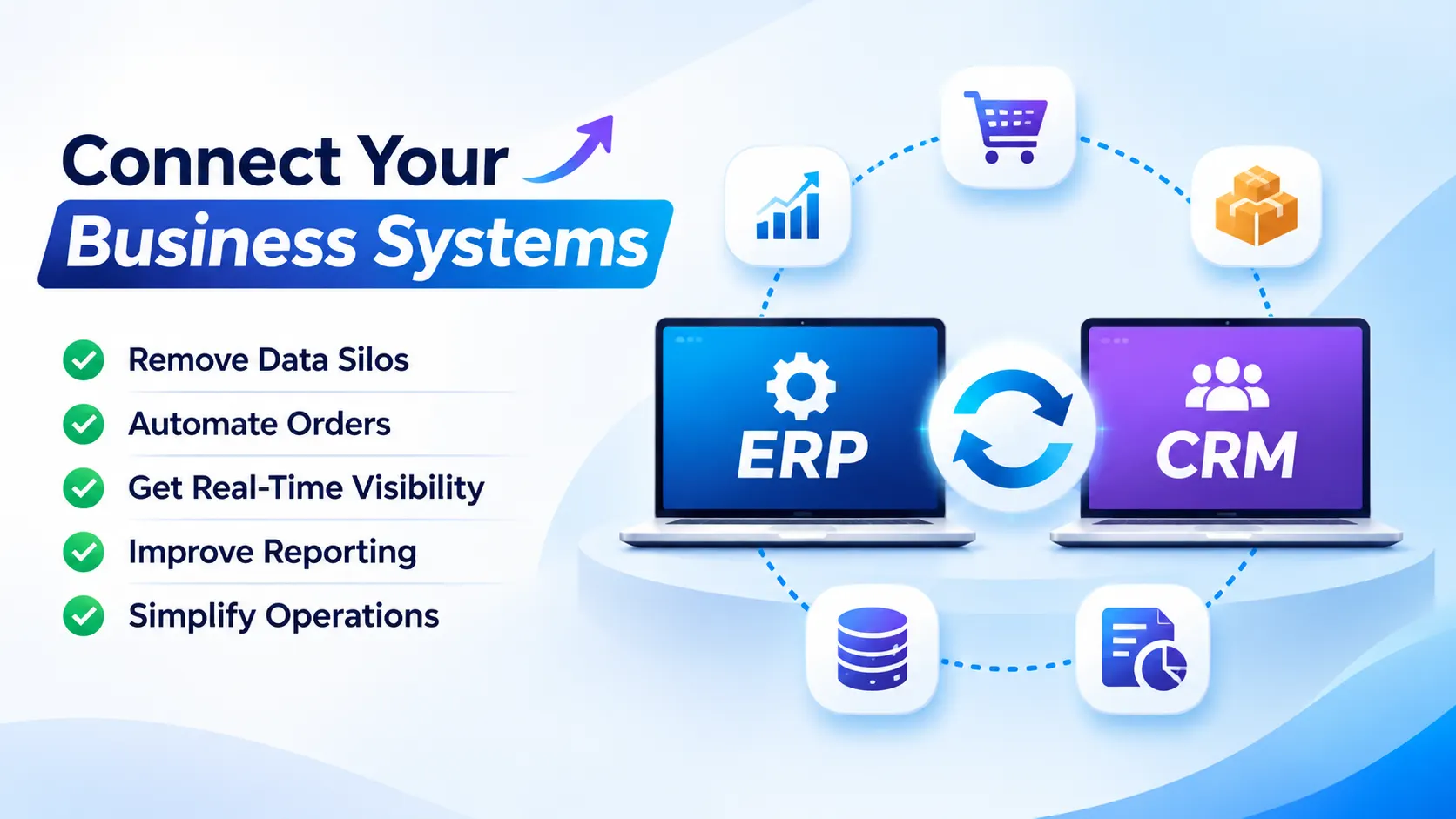
ERP and CRM platforms serve different purposes, but their information often overlaps. Without integration, employees may need to transfer the same information between applications, increasing administration and the risk of inconsistent records.
Here are five common business problems that integration can address.
1. Duplicate Customer and Business Records
Customer information may exist in the CRM, while billing and account details are stored in the ERP. When these records aren't synchronised, different departments can work with conflicting information.
ERP CRM data integration helps establish consistent records and defined rules for updating customer information across connected platforms.
2. Manual Order Processing
When sales orders are created in one application and entered manually into another, processing can become slower and more error-prone.
Integration can automate the transfer of approved order details, product information and customer references, reducing unnecessary data entry.
3. Limited Sales and Inventory Visibility
Sales teams may not have access to current stock availability, order progress or payment status. Connecting relevant ERP data with the CRM can provide better visibility when responding to customer enquiries.
4. Fragmented Business Reporting
When finance, sales and operations data are stored separately, preparing consolidated reports can require manual exports and spreadsheet work.
Business system integration can make relevant information available across applications and reporting platforms, supporting more consistent business analysis.
5. Increasing Operational Complexity
As a business introduces new applications, its software environment becomes harder to manage. A CRM, ERP, e-commerce platform, accounting application and warehouse system may all need to exchange information.
A structured Enterprise Application Integration approach helps manage these connections without creating unnecessary dependencies between individual applications.
Which Business Applications Can You Connect Through ERP and CRM Integration?
ERP and CRM platforms often need to exchange information with other applications to support complete business workflows.
| Business application | Information exchanged | Potential business outcome |
|---|---|---|
| E-commerce platforms | Orders, products, prices and customer details | More consistent order processing |
| Inventory systems | Stock levels, product availability and warehouse records | Better stock visibility |
| Accounting software | Invoices, payments and financial records | Less manual reconciliation |
| Payment systems | Transaction references and payment status | Improved payment tracking |
| Marketing platforms | Leads, campaign activity and customer segments | Better sales and marketing coordination |
| Customer support systems | Customer profiles, service requests and order status | More informed support teams |
| Business intelligence platforms | Sales, financial and operational data | Connected reporting |
| Warehouse systems | Picking, dispatch and stock movements | Better fulfilment coordination |
The right integration scope depends on your business processes. You don't necessarily need to connect every application at once. Prioritise the workflows where disconnected information creates the greatest operational problems.
ERP Integration Company UK: Which Integration Approach Should You Choose?
There are several ways to connect business applications. Choosing the right method requires an assessment of your existing systems, technical limitations and future requirements.
API Integration
An Application Programming Interface (API) allows applications to exchange information through defined requests and responses.
API Integration is useful when systems provide interfaces for accessing or updating information. It can support customer record updates, order transfers, payment notifications and other business workflows.
However, API availability alone doesn't guarantee a reliable integration. You must also consider authentication, permissions, rate limits, data validation, versioning and error handling.
Middleware-Based Integration
Middleware acts as an intermediary between applications. It can manage communication, transform information and coordinate workflows across multiple systems.
This approach can be useful when several applications need to exchange information without creating a separate, difficult-to-maintain connection for every pair of systems.
Custom API Integration Services
Standard connectors don't always support specific business requirements. For example, a company may use customised ERP software, an older CRM platform or unique approval workflows.
Custom API Integration Services UK can address these requirements through tailored APIs, data mapping, validation rules and integration logic.
Batch and Scheduled Data Synchronisation
Not every workflow needs immediate updates. Some business processes can use scheduled data transfers, such as hourly or overnight synchronisation.
Batch processing may be suitable for reporting, historical data transfers and less time-sensitive workflows. Real-time or event-driven integration is more appropriate when a delay could affect order processing, customer communication or operational decisions.
The best solution is the one that meets your business requirements without introducing unnecessary technical complexity.
What Makes an ERP and CRM Integration Project Successful?
Connecting applications is only one part of the work. The quality of the integration depends on how information is structured, transferred, validated and maintained.
These are some important areas that businesses should address before development begins.
1. Define Data Ownership and Synchronisation Rules
When the same information exists in multiple applications, you need to establish which system is responsible for maintaining it.
For example, the CRM might own sales contact information, while the ERP owns invoice and payment records.
Define:
- Which application is the authoritative source for each data field.
- Which records can be updated by each system.
- Whether information moves in one direction or both directions.
- How duplicate records are identified.
- What happens when two applications update the same record.
Without clear rules, synchronisation can create conflicting information rather than solve it.
2. Plan for Failed Transactions and API Errors
An integration should be designed to handle situations where an application becomes unavailable, an API request fails or a data record doesn't meet validation requirements.
A reliable implementation may include retry mechanisms, error queues, transaction logs, alerts and reconciliation processes.
For example, if an order cannot reach the ERP because the receiving application is temporarily unavailable, the integration should record the failed transaction and provide a controlled way to retry it.
Simply showing a successful connection during testing isn't enough. The integration must also handle failure scenarios.
3. Manage Data Quality Before Synchronisation
Incorrect or incomplete information can spread across connected applications if data quality isn't checked.
Before transferring records, assess duplicate entries, missing fields, inconsistent formats, invalid references and outdated information.
Establish validation rules so that applications exchange data in an agreed structure.
4. Design for Future Changes
Business applications change over time. APIs may be updated, new workflows may be introduced and data volumes may increase.
Integration architecture should account for API versioning, documentation, monitoring and the ability to update individual connections without unnecessarily disrupting the wider environment.
5. Monitor Integration Performance
After deployment, businesses need visibility into whether information is moving correctly. Useful monitoring measures include:
- Successful and failed transactions.
- Data synchronisation delays.
- API response times.
- Duplicate or rejected records.
- Integration availability.
- Unresolved errors and reconciliation differences.
These measures help technical teams identify issues before they create larger operational problems.
Planning an ERP and CRM integration?
Discuss your workflows, data requirements, and integration risks with our team.
How to Integrate ERP and CRM Systems: A Practical Project Process
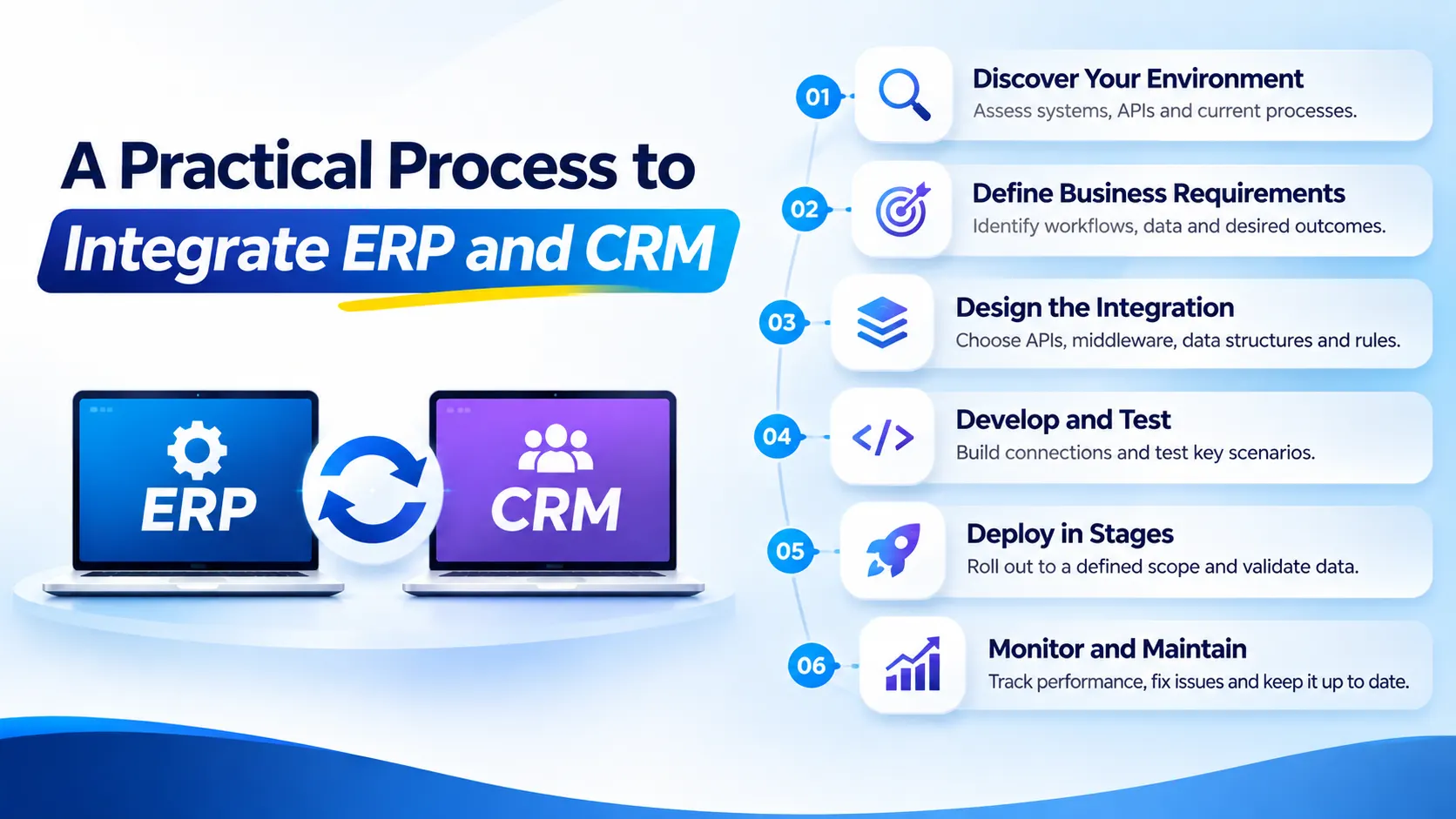
A structured delivery process helps businesses understand what will be developed, how success will be measured and what is required before launch.
Step 1: Discover the existing environment
Document the ERP, CRM, legacy applications, APIs, databases and current manual processes.
Step 2: Define the business requirements
Identify which workflows need integration, what information must move and what outcomes the business expects.
Step 3: Design the integration architecture
Select suitable APIs, middleware, data structures, authentication methods and synchronisation rules.
Step 4: Develop and test the connections
Build the integration and test normal transactions, invalid data, duplicate records, API failures and recovery scenarios.
Step 5: Deploy in controlled stages
Start with a defined workflow or group of users where appropriate. Validate production data and confirm that connected systems behave as expected.
Step 6: Monitor and maintain
Review integration performance, resolve errors, manage API changes and update workflows as business requirements evolve.
This approach reduces the risk of introducing an integration that works during initial testing but becomes unreliable under everyday business conditions.
ERP and CRM Integration Security: What Should Businesses Consider?
Integration can increase the number of applications that exchange sensitive information. Security therefore needs to be part of the architecture from the beginning.
Important controls include:
- Authentication and authorisation: Ensure that only approved applications and users can access relevant services.
- Encryption: Protect sensitive information during transmission and, where appropriate, when stored.
- Role-based access: Restrict access according to business responsibilities.
- Audit logging: Record relevant access, changes and integration activity.
- Data minimisation: Transfer only the personal information required for each workflow.
- Secure error handling: Prevent sensitive information from being exposed through logs or error notifications.
For UK organisations processing personal data, the UK GDPR and Data Protection Act 2018 are important considerations. The Information Commissioner's Office explains that data protection by design and by default should be considered from the planning stage and throughout a system's lifecycle.
Read the official ICO guidance on data protection by design and by default.
The Government Digital Service also publishes API technical and data standards, covering API design, security, documentation and operation. These standards are written for government APIs, but provide useful technical reference points for organisations designing reliable interfaces.
Compliance depends on your specific data processing activities and circumstances. An integration provider should support secure technical implementation, while your organisation remains responsible for assessing its legal obligations.
How Much Do ERP and CRM Integration Services Cost?
There isn't one fixed price for an ERP and CRM integration project. The cost depends on the number of applications, technical complexity and the amount of custom development required.
Key cost factors include:
| Cost factor | Why it matters |
|---|---|
| Number of connected systems | More applications can increase development and testing effort. |
| API availability | Limited or undocumented interfaces may require additional work. |
| Data quality | Duplicate or inconsistent records can increase preparation and migration effort. |
| Custom business workflows | Specialised rules require additional development. |
| Security requirements | Authentication, access controls and audit requirements affect implementation. |
| Testing and deployment | Complex environments need more extensive validation. |
| Ongoing maintenance | API updates, monitoring and support create continuing responsibilities. |
When evaluating a proposal, ask for a clear breakdown of discovery, architecture, development, testing, deployment and post-launch support.
For further budgeting context, see our guide to Custom Software Development Cost in the UK.
How to Choose an ERP and CRM Integration Development Partner
The right provider should understand both the technical requirements and the business processes behind the integration.
Before committing to a project, assess these areas:
- Relevant integration experience: Ask how the provider approaches ERP, CRM, API and legacy application connectivity.
- Architecture and technical planning: Check whether the proposed solution explains data ownership, synchronisation, error handling and future maintenance.
- Security practices: Understand how authentication, permissions, encryption and sensitive information will be handled.
- Testing and quality assurance: Ask how the team will validate data accuracy, failed transactions and recovery scenarios.
- Documentation and handover: Confirm that API specifications, integration workflows, dependencies and operational procedures will be documented.
- Post-deployment support: Establish who will monitor the integration, resolve incidents and manage changes to connected systems.
A provider should be willing to discuss technical limitations and project risks before promising a delivery date or price. You can also read our guide to selecting a Software Development Partner UK.
Need help planning an integration?
Talk through your ERP, CRM, API and legacy system requirements with MeeTri.
Why Choose MeeTri for Custom ERP and CRM Integration?
MeeTri Infotech develops custom software and integration solutions that help businesses connect existing applications and extend their software capabilities.
Its services include API integration, third-party platform connectivity and integration with legacy systems, CRM platforms and ERP tools.
Depending on your requirements, a project may involve:
- Reviewing your existing applications and integration challenges.
- Planning an appropriate integration architecture.
- Developing custom APIs and data exchange workflows.
- Connecting ERP, CRM and third-party applications.
- Implementing validation and error-handling processes.
- Testing integration functionality and performance.
- Supporting deployment and ongoing improvements.
The objective is to make your existing software work together more effectively, rather than automatically replacing platforms that already support your operations.
Explore MeeTri's Custom Software Development Services to learn more about its development and integration capabilities.
Have disconnected applications created problems for your business?
Get in Touch with us to discuss your ERP, CRM and API integration requirements with MeeTri.
Conclusion
ERP and CRM integration is not simply about connecting applications. It is about making business information more consistent, reducing unnecessary manual work and creating reliable processes across your organisation.
The best integration projects start with clear business requirements, defined data ownership and a suitable technical architecture. They also account for API failures, data quality, security, testing and ongoing maintenance.
If your business is struggling with disconnected ERP, CRM or legacy applications, a structured integration project can help address those challenges without requiring an immediate replacement of your existing software.
MeeTri can help assess your requirements and develop an integration approach aligned with your business workflows.
Ready to connect your business systems? Contact MeeTri Infotech to discuss your project.
Frequently Asked Questions About ERP and CRM Integration Services
ERP integration connects an Enterprise Resource Planning system with other business applications to exchange operational information such as inventory, orders and financial records. CRM integration connects customer relationship management data with applications such as ERP, marketing, customer support and e-commerce platforms. Connecting ERP and CRM allows relevant customer and operational information to move between both systems.
Yes. Businesses can often connect existing ERP and CRM platforms using APIs, middleware, pre-built connectors or custom integration development. The appropriate method depends on the systems' technical capabilities and available interfaces.
It depends on the workflow. Real-time or event-driven integration is useful when information needs to be available quickly, such as order status or payment updates. Scheduled synchronisation may be more appropriate for reporting, historical records and processes that don't require immediate updates.
A properly designed integration should record failed requests and provide suitable error handling. Depending on the workflow, this may include retry mechanisms, error queues, alerts, transaction logs and reconciliation. These controls help prevent failed data transfers from going unnoticed.
Yes, provided there is a suitable way to access or exchange information. Depending on the system, integration may use existing APIs, database interfaces, middleware, file-based transfers or custom connectors. A technical assessment is necessary to establish the safest and most practical approach.
The timeline depends on the number of applications, data quality, API availability, workflow complexity and testing requirements. A focused integration between two well-documented systems will generally require less effort than a project involving multiple customised applications and historical data migration. A realistic estimate should follow a technical discovery and requirements assessment.
Businesses should establish clear data ownership rules, consistent record identifiers, validation checks and duplicate detection processes. They should also define how conflicting updates are handled when the same record changes in more than one application.
It can be implemented securely when appropriate controls are included in the design. These may include authentication, authorisation, encryption, role-based access, audit logging, monitoring and data minimisation. Security requirements should be assessed according to the sensitivity of the information and the systems involved.
Not necessarily. Pre-built connectors can be suitable when they support the required applications and business workflows. Custom API integration is more appropriate when standard connectors cannot handle specific data structures, business rules, legacy systems or specialised processes.
A useful proposal should explain the business objectives, systems in scope, integration architecture, data mapping, security requirements, development deliverables, testing approach, deployment plan, timeline, pricing assumptions, exclusions and post-launch support responsibilities. It should also identify dependencies and how project success will be measured.